Evals That Actually Get Used
/ 8 min read
Table of Contents
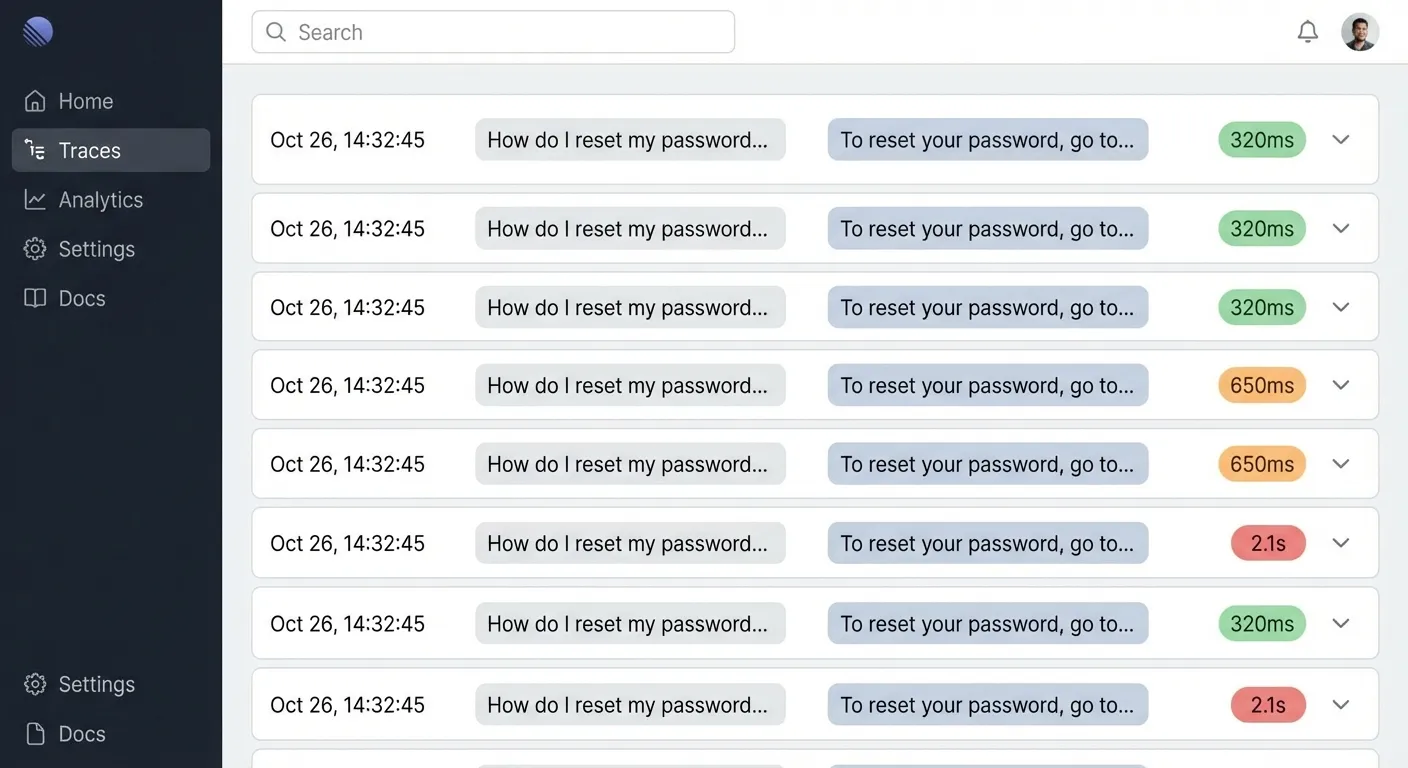
I’ve been doing AI for 10 years and I still hate evals.
Not because they’re tedious. Because nobody uses them.
Every team I’ve worked with has some eval setup. Dashboards full of traces. Maybe some test cases that run on deploy. Looks great in the architecture diagram.
But when something breaks in production? Nobody goes to the eval dashboard. They just fix the thing that broke. Ship it. Move on.
Then something else breaks. Fix that too. Ship. Move on.
You’re playing whack-a-mole. And the eval infrastructure you spent weeks building? Gathering dust.
I’ve seen this pattern so many times. The problem isn’t that teams don’t care about quality. It’s that the friction between “look at data” and “see improvements” is so high that looking at data doesn’t feel worth it.
You open the dashboard. Scroll through some traces. See some bad outputs. Then what? Write a Jira ticket? Tweak a prompt and hope? There’s no clear path from observation to improvement, so people stop observing.
I almost gave up on evals entirely. Just ship fast and fix what breaks.
But I kept at it. Rebuilt the whole approach around one question: how do I make the path from “saw a problem” to “fixed the problem” as short as possible?
TL;DR: Build a keyboard-driven review UI. Annotate with binary failure modes. Let patterns cluster into a taxonomy. Train AI judges on your taxonomy. Make your system config-driven so fixes are easy. Do it every day.
The problem is friction
Evals aren’t hard to build. They’re hard to use.
Think about what happens when you notice a bad AI output today:
- You see a bad response
- You… make a mental note?
- Maybe mention it in Slack
- Someone says “yeah we should look at that”
- Nothing happens
- Repeat
The gap between observation and action is huge. So observations don’t lead to actions. So people stop observing.
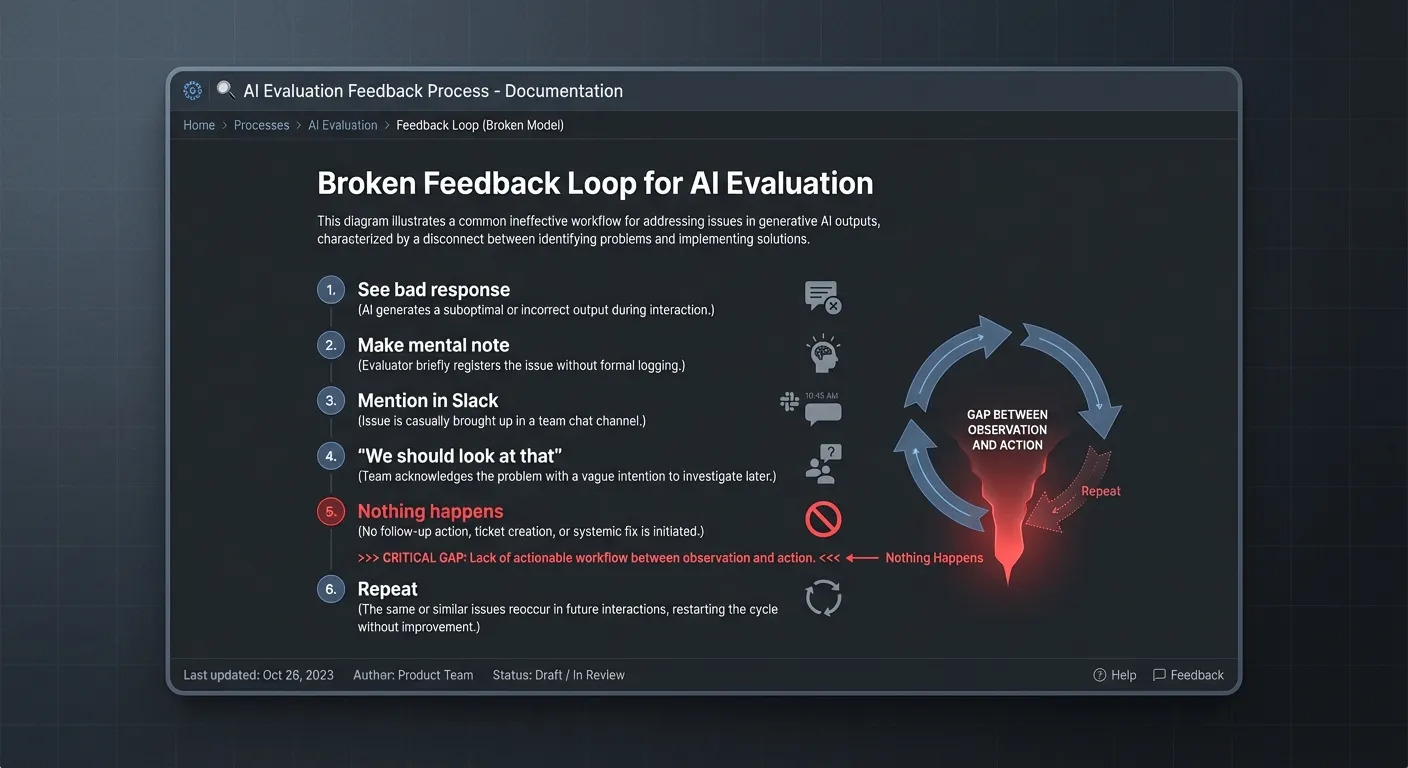
The system I’m about to show you closes that gap. Every step flows into the next. You go from “noticed something weird” to “system is measurably better” in a straight line.
The system
Here’s what a low-friction eval loop looks like. I’ll walk through it with a real example: a customer support agent for a SaaS app. Handles billing questions, feature questions, troubleshooting. Thousands of conversations a day.
The goal: make every step so easy that you actually do it.
Step 1: Capture everything
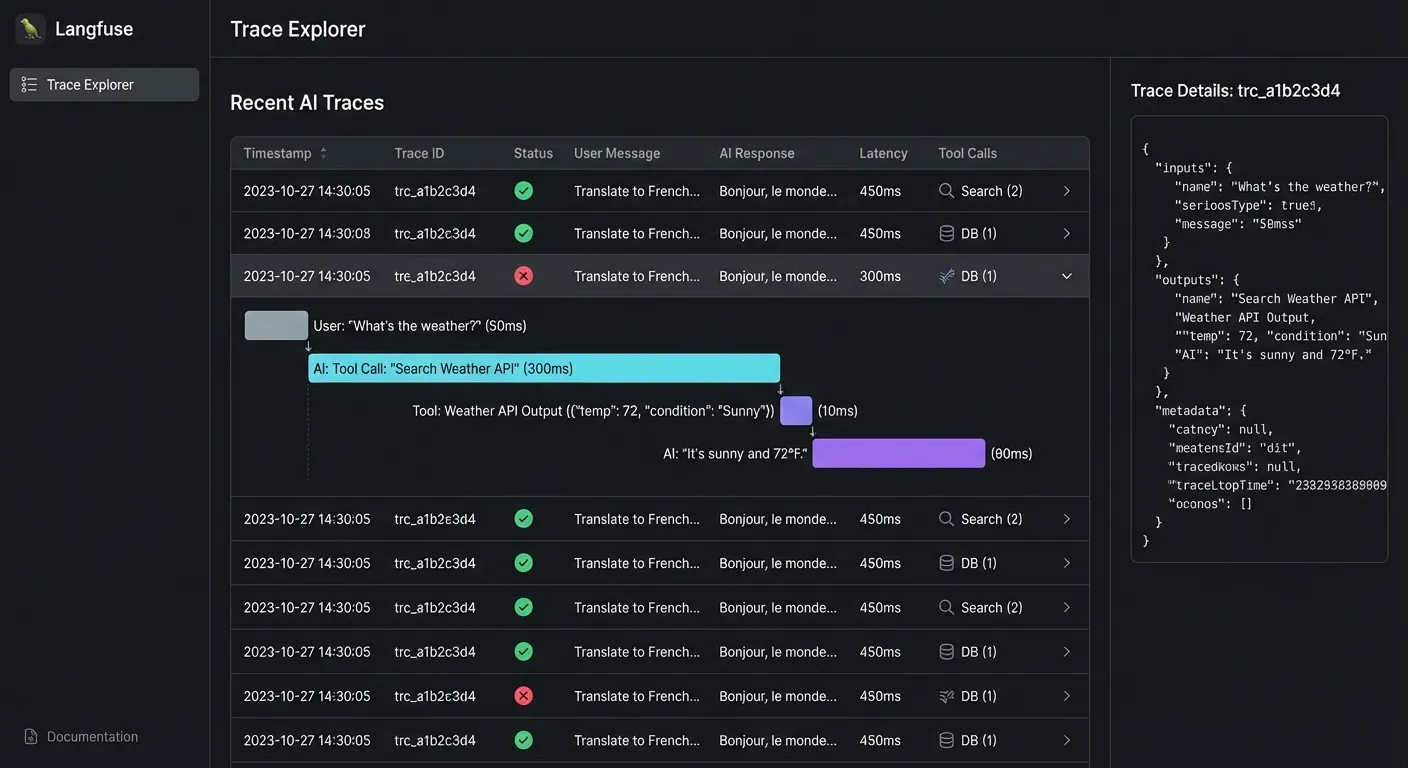
Every conversation should generate a trace. User message, agent response, any tools it called, how long it took, which model, everything.
You need traces. Set up OTEL or whatever works for you.
Most teams have this part figured out. Langfuse, Langsmith, Braintrust, Arize, even just logging to BigQuery. Pick one. The tool doesn’t matter as much as actually using it.
The next parts are harder.
Step 2: Build a review UI you’ll actually use
This is where most setups fail. You have the data, but looking at it sucks.
Click into a dashboard. Find a trace. Read it. Click back. Find another trace. Read it. Click back. It’s so tedious that you do it once, feel virtuous, then never do it again.
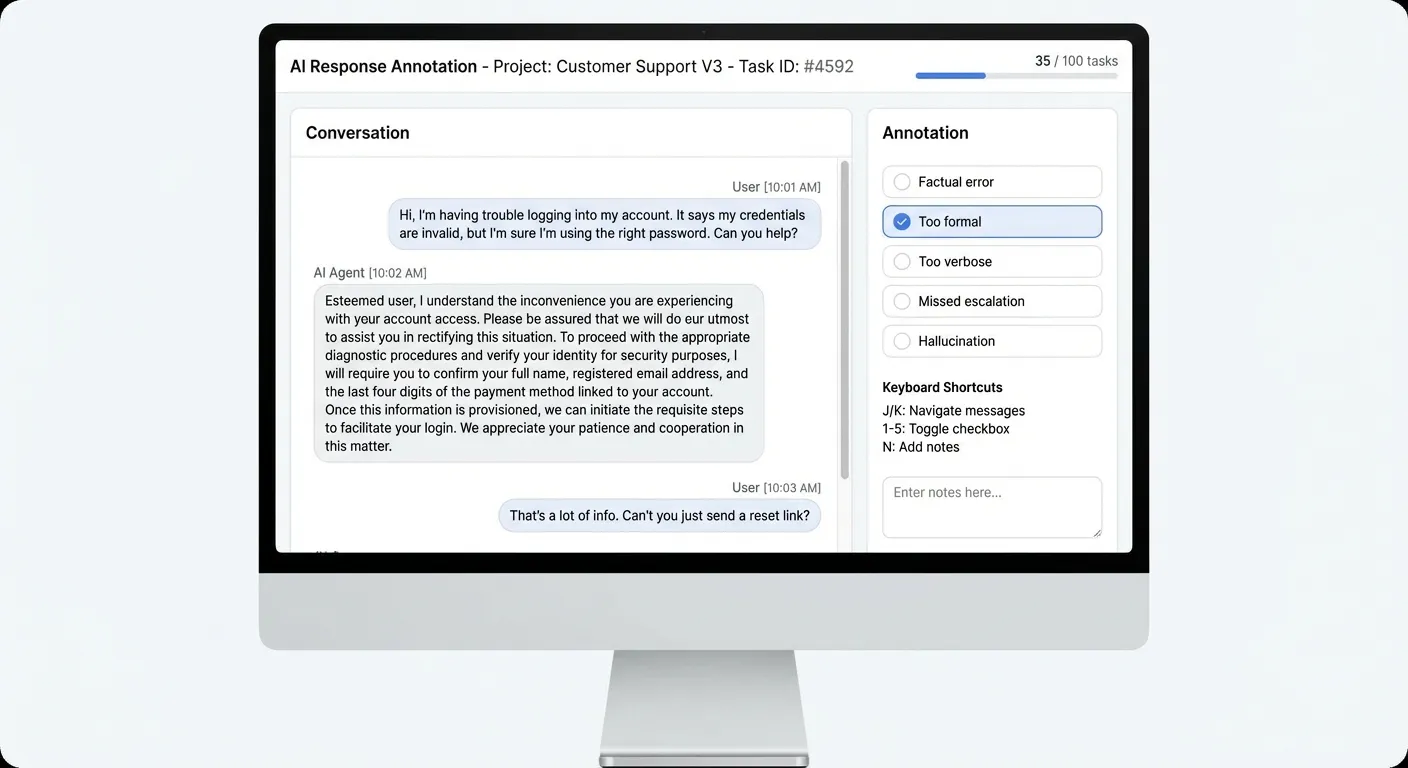
The fix: a dedicated review interface with keyboard shortcuts.
J/K to navigate between samples. 1-5 to toggle failure mode checkboxes. N to leave a note. Spacebar to advance.
This sounds like a small thing. It’s the whole game.
When reviewing is fast, you actually do it. When you actually do it, you see patterns. When you see patterns, you fix things.
I spend 30 minutes every morning clicking through conversations. J, J, J, 2 (too formal), J, N “hallucinated a feature”, J, J, 1 (factual error), J. It becomes automatic. And it catches 80% of problems before anyone complains.
Step 3: Take notes on everything
Don’t just rate things good or bad. Write down what you notice.
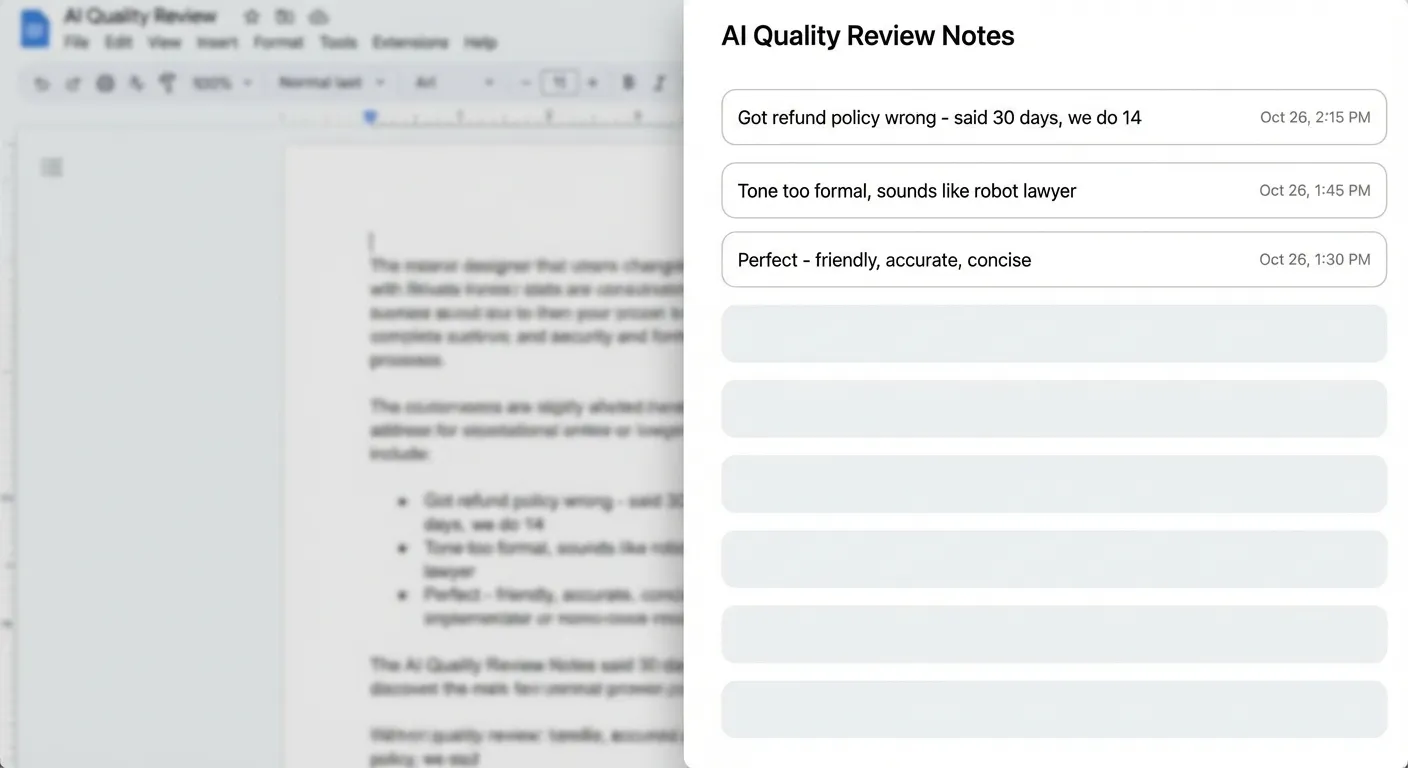
My notes look like this:
- “Said refund policy is 30 days. We do 14.”
- “Sounds like a robot lawyer”
- “User asked yes/no question, got 3 paragraphs”
- “Made up a feature we don’t have”
- “Perfect”
These notes are messy. That’s fine. You’re not writing documentation. You’re capturing what your brain notices.
Step 4: Let the taxonomy emerge
Give it a week or two. You’ll have dozens of notes. Maybe hundreds.
Now run them through an LLM. Ask it to cluster them into themes.
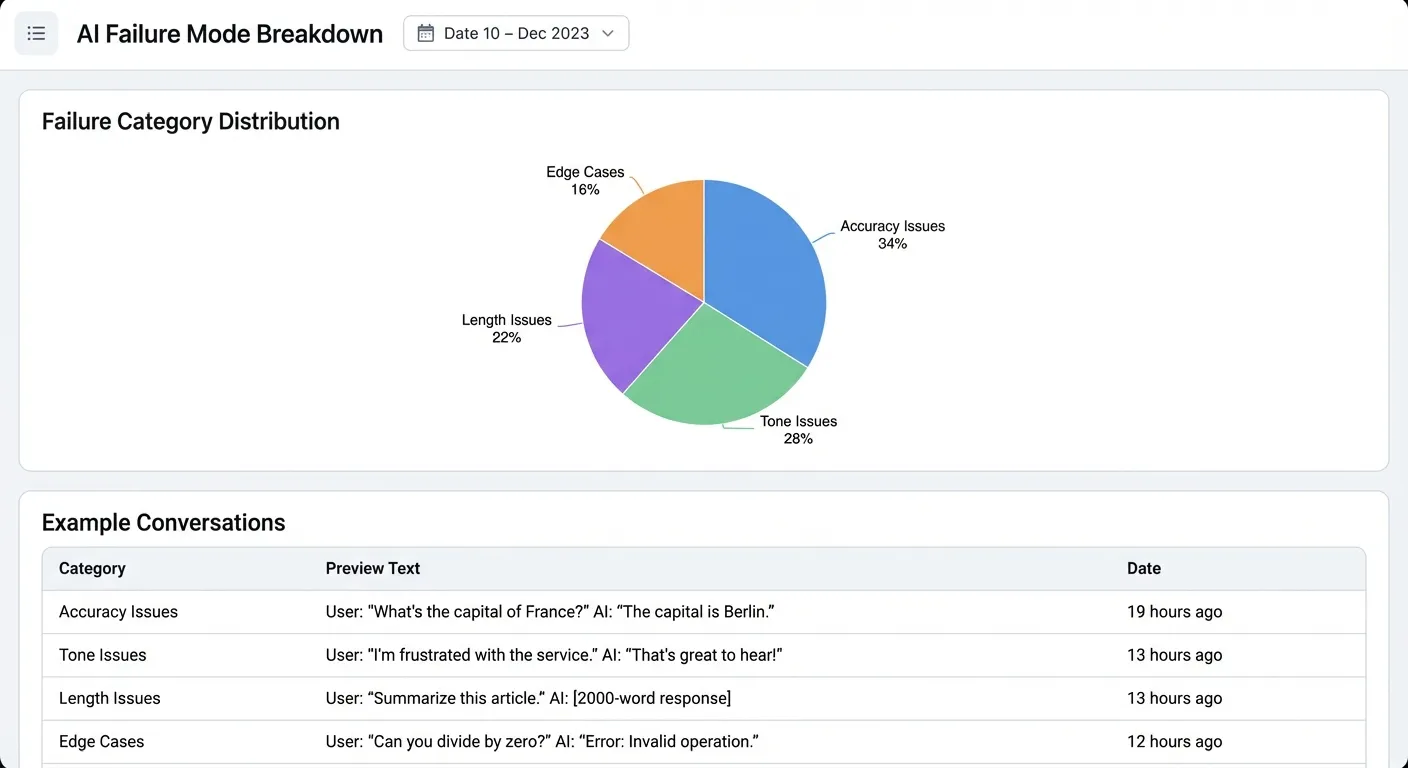
For the support agent, I got:
Accuracy (34%) Wrong facts, hallucinated features, outdated info
Tone (28%)
Too formal, too apologetic, doesn’t match user energy
Length (22%) Way too verbose, buries the answer
Edge cases (16%) Doesn’t know when to escalate, handles multi-part questions poorly
Now you have a taxonomy based on what actually breaks.
Step 5: Build AI judges
This is where it starts to feel like magic.
Once you have judges that reliably detect your failure modes, you can do a lot more than just review. Run them on every conversation in real-time. Pipe the scores into dashboards. Alert when failure rates spike. Block deploys if a new prompt version scores worse than production.
But first you need to build them.
Take each failure mode and write a prompt to detect it.
For “too formal” I wrote something like:
You're checking if a support response sounds too formal.
Signs of too formal:- "I would like to inform you" instead of "Here's"- Avoids contractions- Sounds like a legal doc- No warmth
[paste 10 examples from your notes]
Check this response: {response}
Output: {"too_formal": true/false, "confidence": 0.0-1.0}
Run it on samples you’ve already labeled. If it matches your judgment 90%+ of the time, it’s good enough. If not, tweak the prompt.
Now you have a judge that can score every conversation automatically. No more manual review for that failure mode.
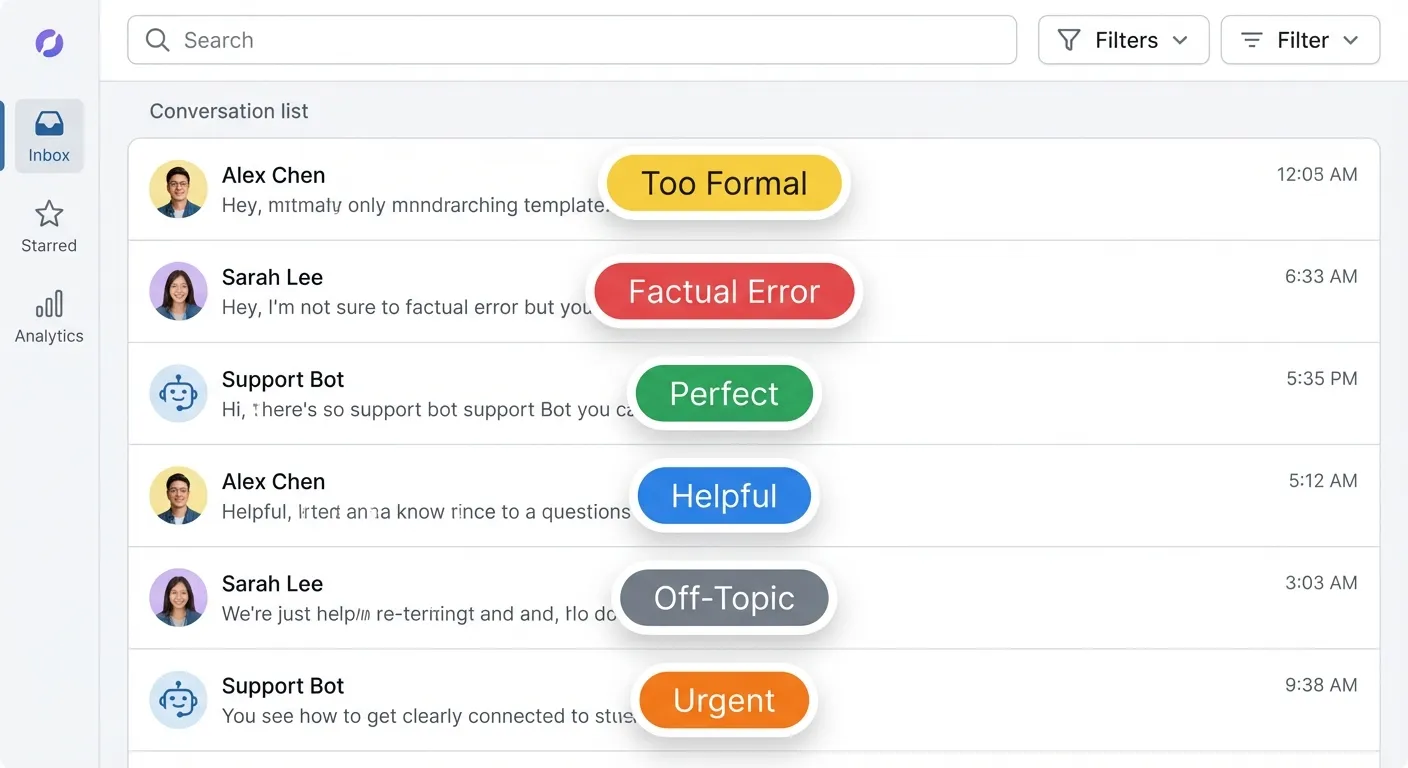
Repeat for each category. You end up with a suite of specialized detectors, each trained on YOUR data, YOUR edge cases, YOUR definition of “good.”
Key insight: The judges don’t need to be perfect. They need to be good enough to catch the obvious stuff so you can focus on the edge cases.
Step 6: Actually fix things
All this is useless if you don’t close the loop.
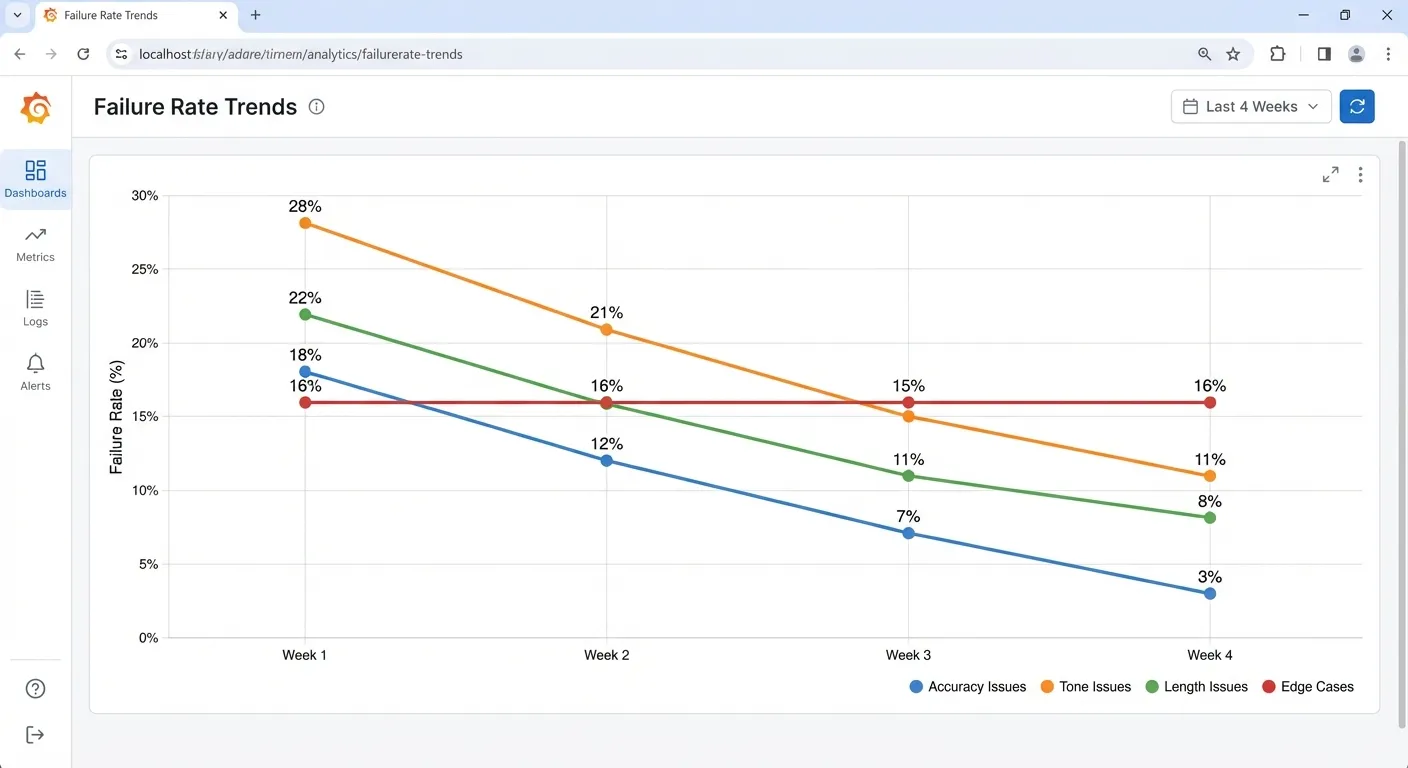
For the support agent: I traced 23% of “too formal” issues back to one sentence in the system prompt. The phrase “professional customer service representative” was making everything sound stiff.
Instead, I swapped it for “friendly customer success representative” and provided specific examples of what that looked like. After running the same traffic through both versions. Formal tone issues dropped 60%.
The accuracy problems? We added a retrieval step that pulls current policy docs before answering billing questions. Factual errors went from 18% to 3%.
The part nobody talks about: making it automatic
Here’s where this goes from “useful” to “I can’t believe nobody told me this.”
Everything I described so far still requires you to manually change things. You notice a problem, you tweak a prompt, you redeploy. That works, but it’s slow.
The real unlock: making your AI system config-driven and API-triggerable.
Config-driven means your prompts, parameters, model choices, retrieval settings all live in config files. Not hardcoded. You can change behavior dynamically without touching code or re-deploying.
model: gpt-4temperature: 0.7system_prompt: "You're a friendly support teammate..."retrieval: enabled: true top_k: 5API-triggerable means you can call your AI system programmatically with these config overrides. Your eval system can run the same input through different configs and compare outputs.
POST /api/chat{ "input": "How do I get a refund?", "config_override": { "system_prompt": "You're a friendly support teammate who keeps answers brief..." }}Another benefit of this serializable config? Enabling text optimization algorithms like GEPA.
Now the flow can be:
- Annotate data in the UI
- Use GEPA to optimize the config for the judge against your human labeled criteria
- Use GEPA to optimize the config for the core AI system against the judge
The end state: you just review data and annotate. Everything else happens automatically. New failure modes get detected, judges get built, prompts get optimized, deploys happen when metrics improve.
The habit
None of this works if you do it once.
Every morning: 30 minutes reviewing conversations. Leave notes on anything weird. Check the AI judge dashboards for spikes. Dig into anything new.
The system handles clustering, alerting, and improvement. My job is to stay close to the data.
It’s boring. It’s the AI equivalent of reading support tickets. But it’s the highest leverage thing I do.
Why this works
This system works because there’s no friction between steps.
When it takes 10 clicks to see a bad output, you don’t look. When there’s no clear path from “this is bad” to “this is fixed,” you stop caring. When the gap between observation and improvement is weeks, you give up.
This system works because every step flows into the next:
See bad output → annotate it → patterns emerge → AI judges get built → improvements happen → metrics go up
No dead ends. No “I’ll file a ticket.” No hoping someone else fixes it.
The review UI makes looking at data fast. The annotation scheme makes patterns visible. The AI judges automate detection. The config-driven architecture makes fixes deployable. The daily habit keeps it all moving.
I finally use my evals. That’s the win.
If you’re building AI products and want help setting this up, reach out on Twitter. I also write a weekly newsletter about building AI products - subscribe here.